Hársfa Masszázs: a risky move from WordPress to our own engine
In September we wrote about Hársfa Masszázs that a new website wasn't needed: after we put their WordPress site in order, the salon appeared 1.5 times as often in Google. That was true. But the tidied-up WordPress kept asking for attention every month: updates, vulnerable plugins, slow loading on phones. So on 31 October 2026 we moved the site to our own engine, without WordPress. This case study is about what made that hard and risky, and how we did it without losing anything along the way.
time until the main content of the home page appears on a phone (LCP)
our own measurement on a throttled mobile network; before: 31 Oct 2026, after: live, 4 Nov 2026old addresses that bring traffic from Google still lead to the right page after the switch
checked on the live site, 31 October 2026In short
- Client: a massage salon with two locations (Budapest, Dunakeszi); we have run their website since February 2026
- Before: WordPress, a premium theme, plugins
- After: COGMA's own engine – fast, pre-built pages; server-side code only for the appointment request form
- Switch: 31 October 2026. The first clickable version was ready on 14 October; the domain, hosting, e-mail and HTTPS stayed the same
- Focus: keeping the Google rankings, security, speed, the ability to roll back
Why we left WordPress
- Security. The security scan on 31 October found 27 issues: 20 missed updates, 6 vulnerable plugins and an outdated WordPress core. Every plugin is another door for attackers, and updating them can break the theme, so none of them was “just one click”.
- Speed. On a phone, the main content of the home page took 8.2 seconds to appear, the Budapest salon page 8.9 seconds. 75% of clicks come from mobile.
- Maintenance. We edit the site; the salon doesn't need an admin panel. Keeping WordPress was only cost and risk, with no benefit.
The difficulties and the risks
1. Google rankings
The biggest risk is that a new website loses the rankings already earned. In 11 months, the Hársfa site got 8,014 clicks and 256,781 impressions from Google. A bad migration can wipe that out within weeks.
So we mapped every address of the old site, and each one either lives on in the same place or leads to the right page with a permanent (301) redirect:
- pages and articles are available at the same address with the same title (the `<title>` is word for word the old one – in the first version it differed on 78 pages, which we fixed before launch);
- WordPress's 125 image-attachment pages lead to their parent page, and its 78 category and tag pages to their topic;
- old image addresses point to the new images, and images no longer used return a proper “gone” (410) response instead of an error;
- we also carried over WordPress's hidden redirects: 77 manual redirect rules, old article addresses and 90 orphaned attachments. These don't appear in the sitemap and could only be collected from the old site's database – among them an old address of the Dunakeszi salon that the old redirect had forwarded 971 times.
The checking wasn't done by hand: a program tries every old address on a real web server, and after the switch on the live site too. All 182 addresses that bring traffic in Search Console reach their destination.
2. The way back
In a migration the question isn't whether something will go wrong, but how quickly you can turn back. So we designed the switch to be reversible with a single command: the new site was uploaded next to the old one, the switch itself was two folder renames, and WordPress and its database stayed untouched. We stayed on the client's existing hosting, so the domain, DNS, e-mail and HTTPS didn't need to change, and the history in Search Console wasn't lost either.
3. The one-year cache
The survey turned up a hidden trap: because of its caching plugin, the old site told browsers they could keep its pages for a whole year. A returning visitor's browser could, in principle, still show the old copy. So we redirected the old image addresses to the new images (the old copy isn't left without pictures), and the new site always checks for a fresher version – nothing can get stuck even if we ever roll back.
4. The form and booking
The appointment request form was a WordPress plugin. It was replaced by a small form handler of our own with bot protection; its attack-style test runs every week, and on launch day we also tried it with a real submission. Online booking for both salons (Salonic) is available from the new site.
5. What only shows up live
Facebook's built-in browser resizes the screen while scrolling, and on the first day this made the opening image jump by 76 pixels. We fixed it the same day. Problems like this only show up in a real environment, so after the switch we keep going through the live site with iPhone-engine tests, and every fix gets a new check.
What we do differently
- We measure, we don't guess. Every address, title and redirect of the old site was carried over from data, not from memory.
- Automated checks before every release. Redirects, search settings, the form, iPhone rendering – if something fails, it doesn't go live.
- There's always a way back. We built the switch so it could be reversed within minutes.
- We put the uncertainty in the plan too. A few weeks of temporary fluctuation in search can't be ruled out after a migration. We said so in advance, and we watch it weekly.
The results
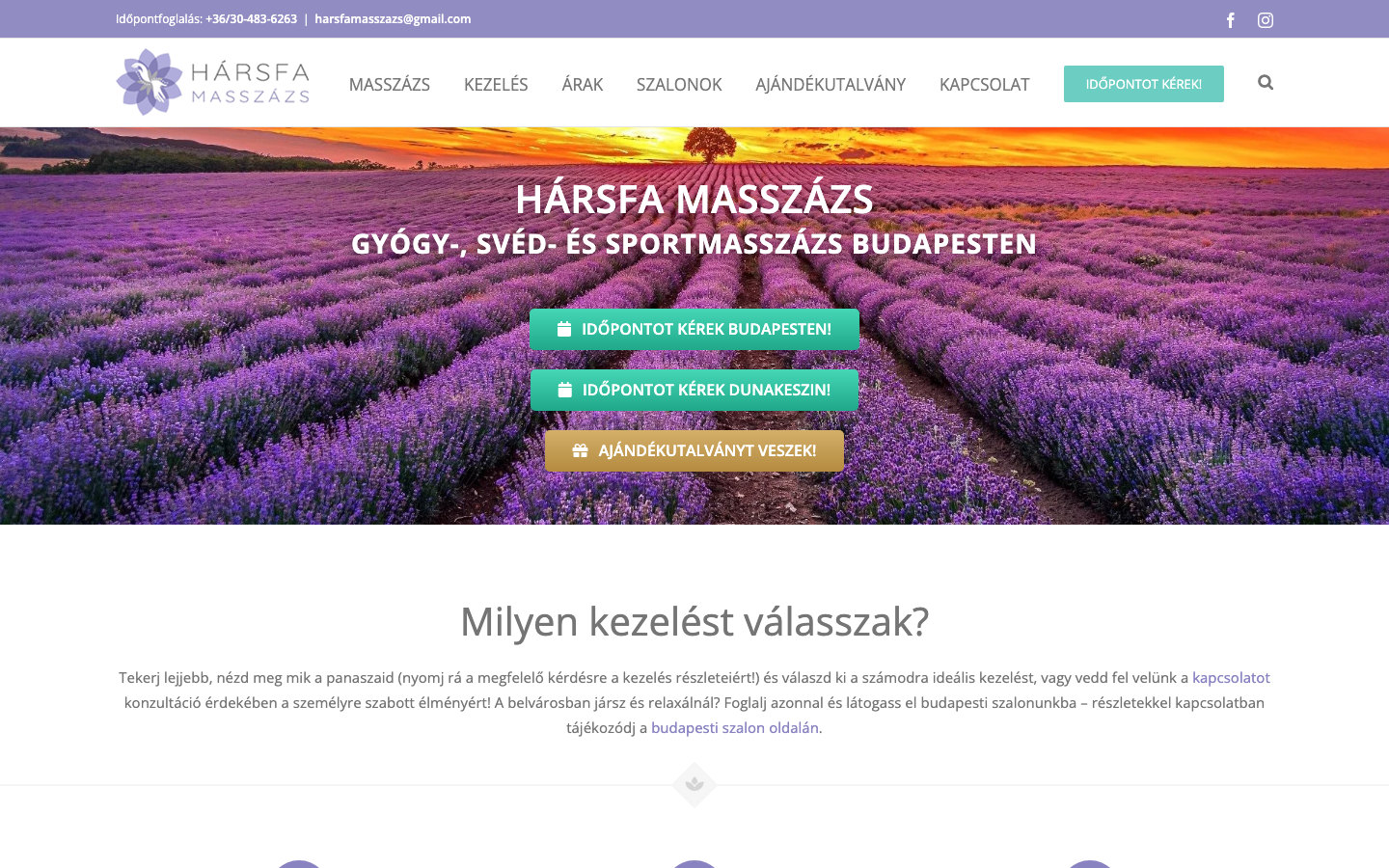
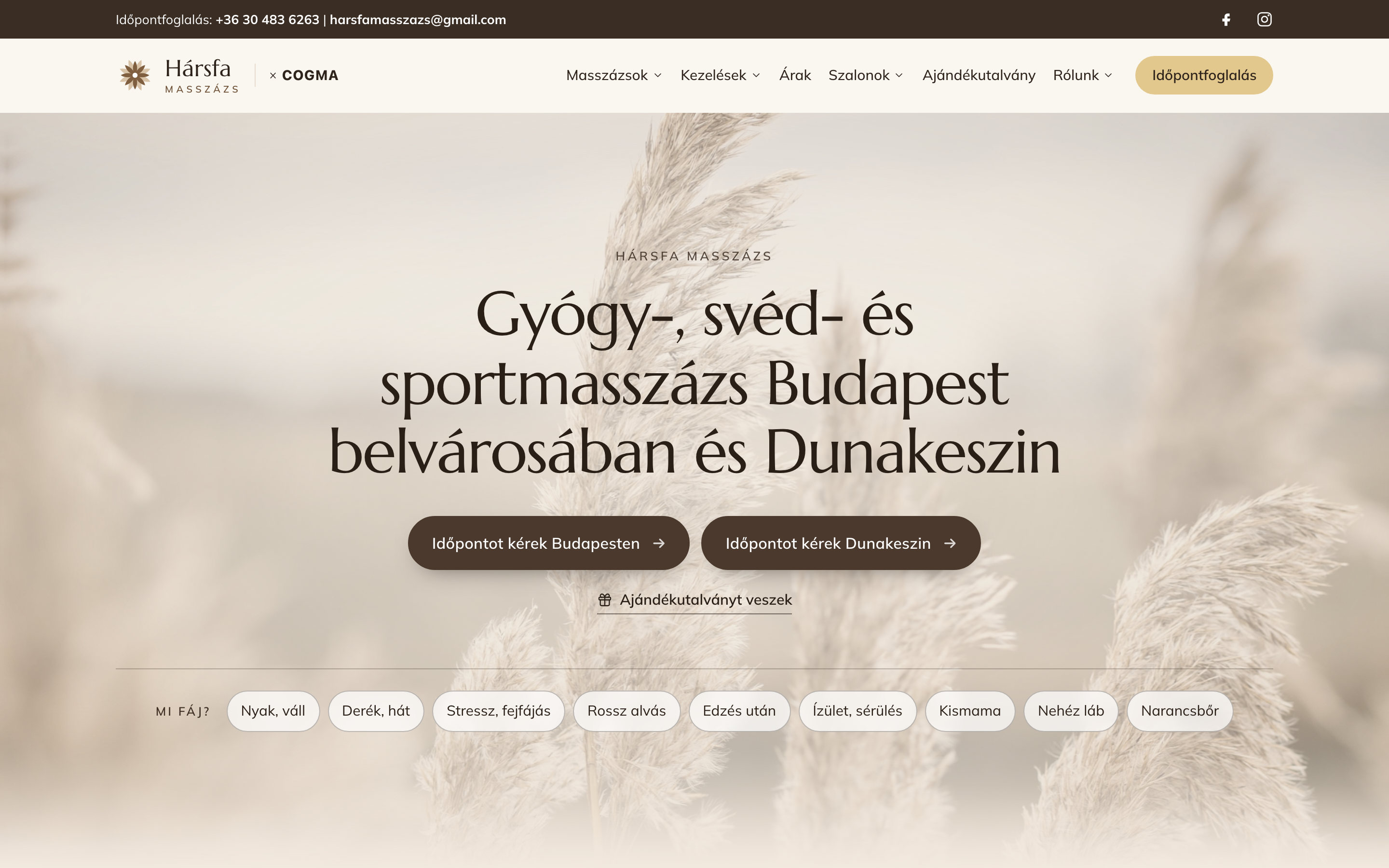
Time until the main content appears, measured on a phone over a throttled mobile network:
- home page: 8.2 s → 1.9 s
- therapeutic massage page: 4.0 s → 0.9 s
- Budapest salon page: 8.9 s → 0.8 s
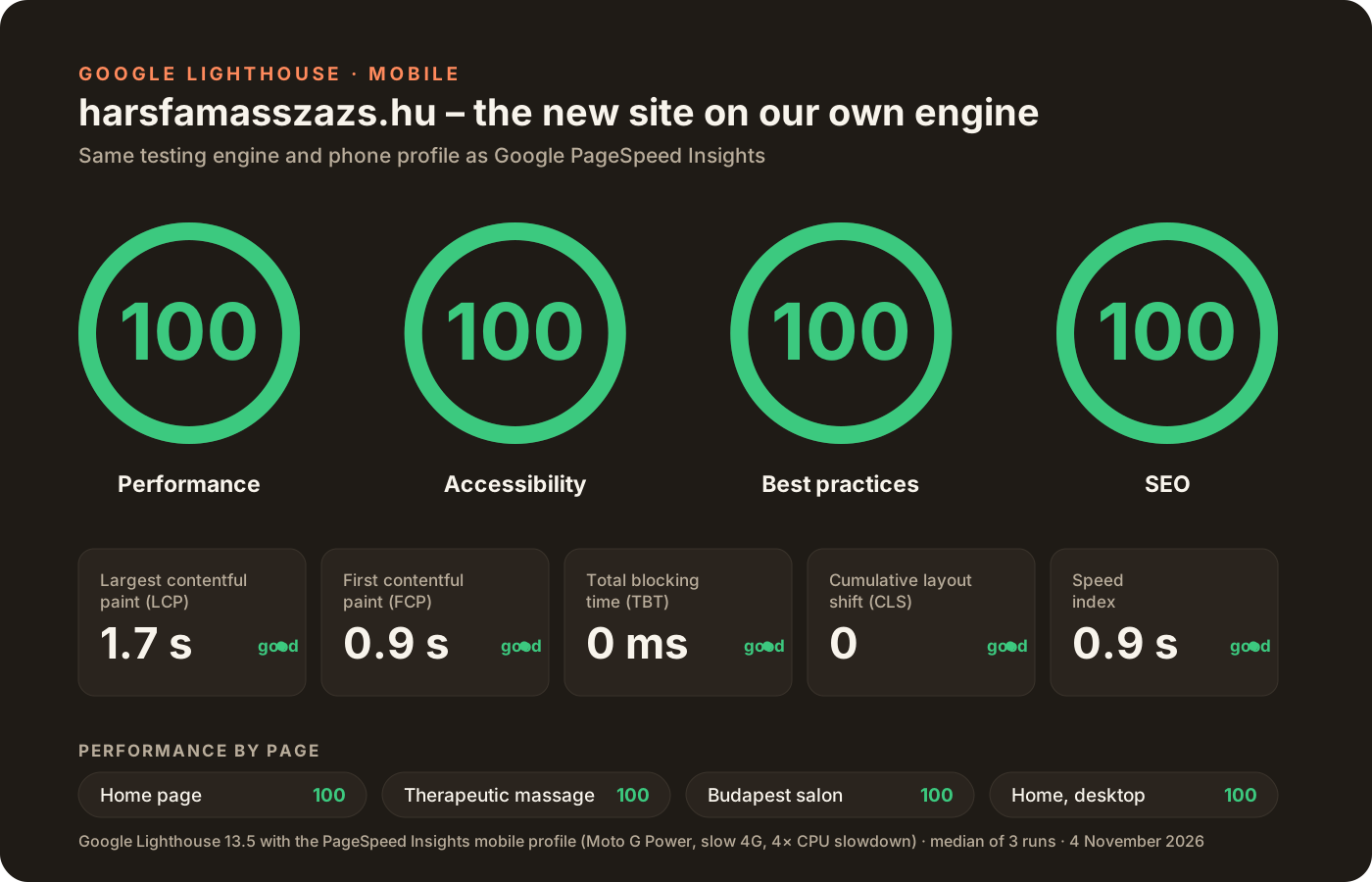
Google's own testing engine, Lighthouse (it also powers PageSpeed Insights), gives the new site 100 points in all four categories with the phone profile – on the home page, the therapeutic massage page and the Budapest page alike.
The site has no plugins, no admin panel and no analytics or advertising code. A new privacy notice and cookie banner were added, and articles end with a share bar (without third-party code).
Notes on method:
- The old values were measured before the switch, the new ones on the live site with stricter settings (slow 4G, fourfold CPU throttling). The comparison is therefore cautious rather than flattering.
- We ran Lighthouse on our own machine with the PageSpeed Insights mobile profile. PageSpeed Insights running on Google's servers can differ by a few points from run to run. We have no saved Lighthouse result for the old site, so we don't quote a score for it.
- It's too early to talk about search results: only a few days have passed since the switch. We'll add the first Search Console data in mid-November and the four-week picture in early December.
The takeaway
Not every WordPress site needs replacing. But when maintenance costs more than the site brings in, and nobody uses the editor, moving is worth it – provided the old addresses, the way back and the checks are planned in advance. If your site runs on WordPress and it's slow or you worry about its security, let's look at it together and see whether switching pays off for you.